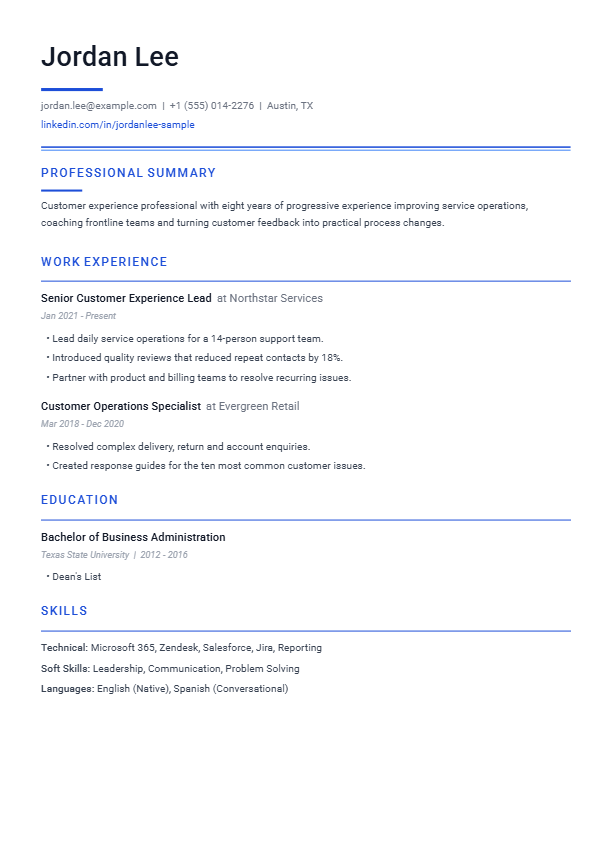
Classic Professional
A dependable single-column layout with clear hierarchy for almost any role.
Best for: Business, operations and general applicationsFreeEditable DOCX included
6 free designs + 6 premium packs
Start free. Upgrade only if it helps.
Download 6 free editable Word resume and CV templates with no signup, or browse 6 premium packs with colour variants, matching cover letters and a $2.99 AI builder credit. Every preview shows the same design used in Build My Resume.
6 free + 6 premium. Free packs have removable attribution. Premium packs are clean and ready to personalize.
Template library
Download and edit it yourself, or use the design with Build My Resume to improve and format your content. No template purchase is required to preview your AI-built resume.
Need help choosing a template?Showing all 12 templates.
A dependable single-column layout with clear hierarchy for almost any role.
Best for: Business, operations and general applications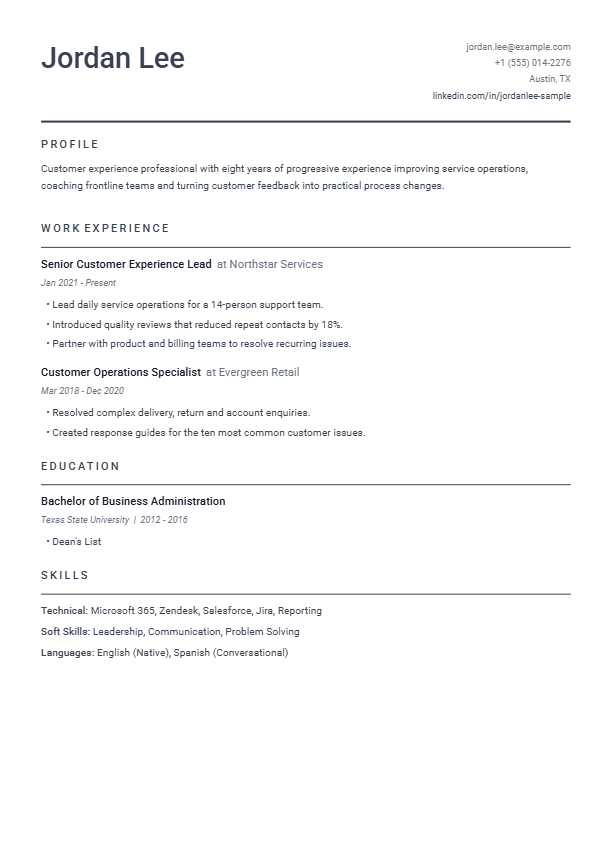
A restrained modern layout that keeps the focus on experience and results.
Best for: Technology, startups and modern workplaces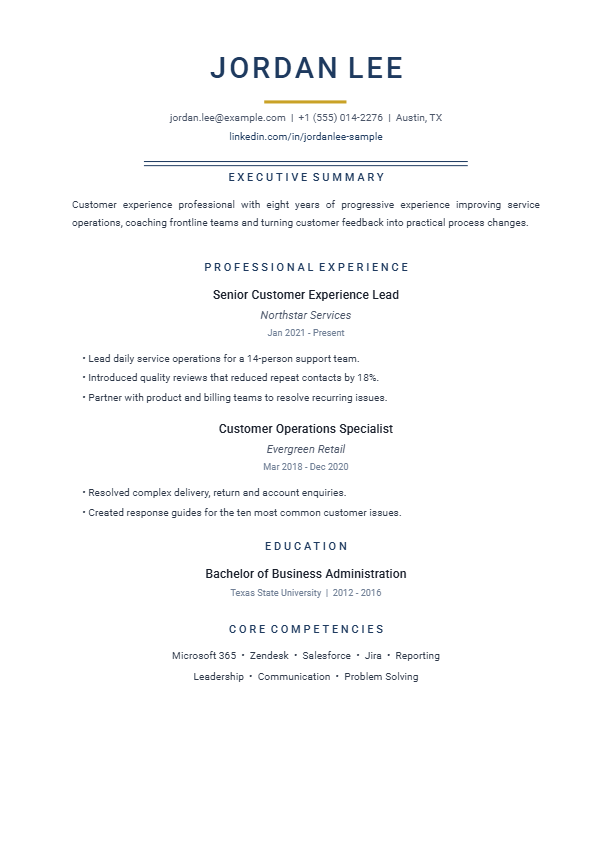
A confident, centered design with room for leadership impact and career depth.
Best for: Managers, directors and senior professionals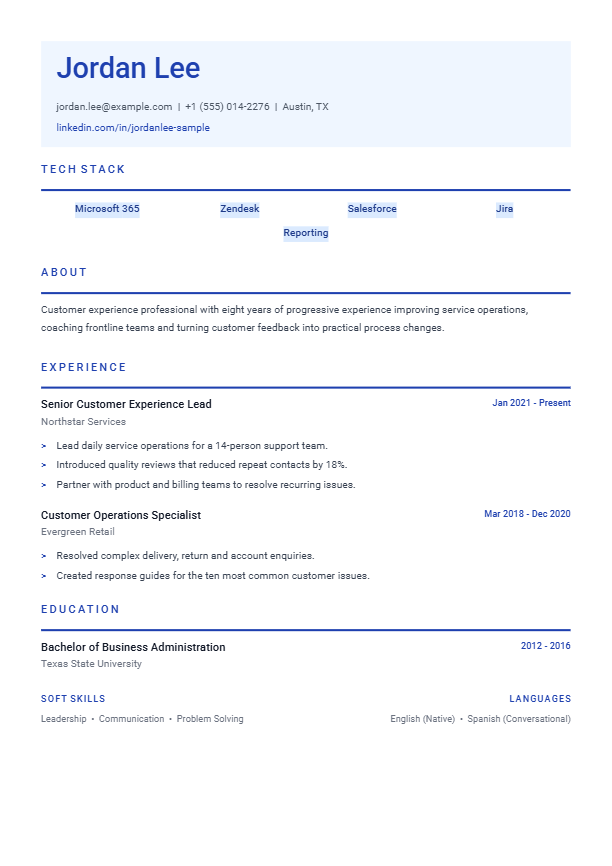
A skills-forward structure for technical projects, tools and measurable outcomes.
Best for: Developers, analysts and technical specialists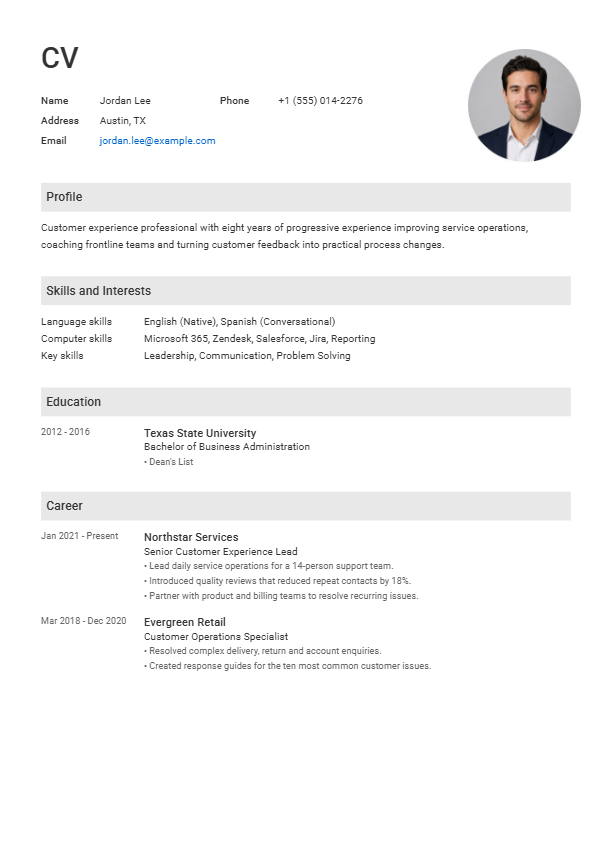
A simple traditional format that is quick to scan and easy to customize.
Best for: First resumes, career changes and broad use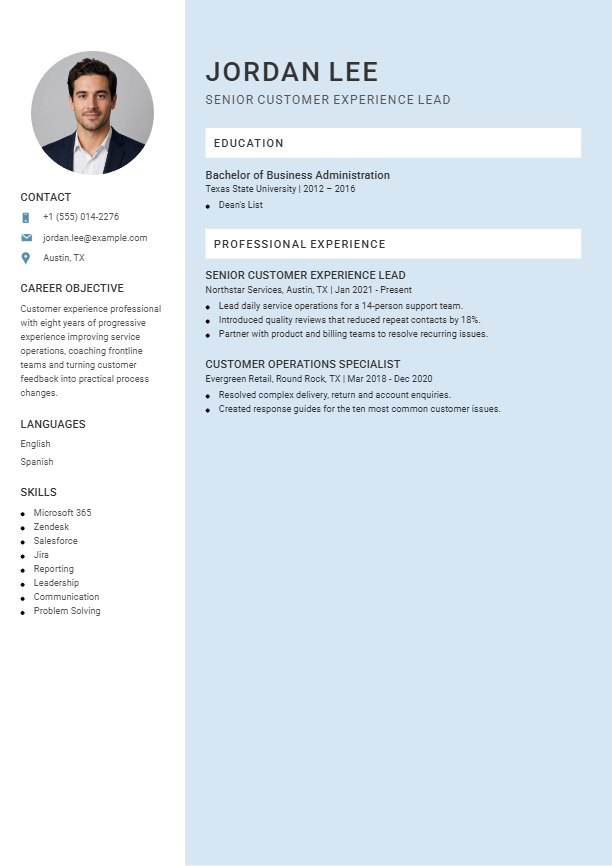
A light two-column layout that organizes contact details and core skills neatly.
Best for: Customer-facing, creative and hybrid roles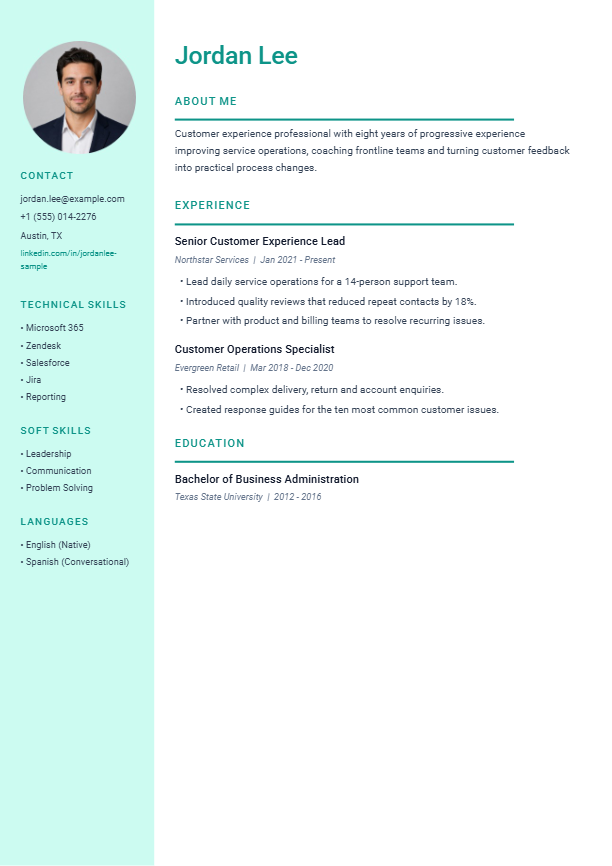
A polished visual layout that balances personality with professional structure.
Best for: Marketing, communications and design-adjacent roles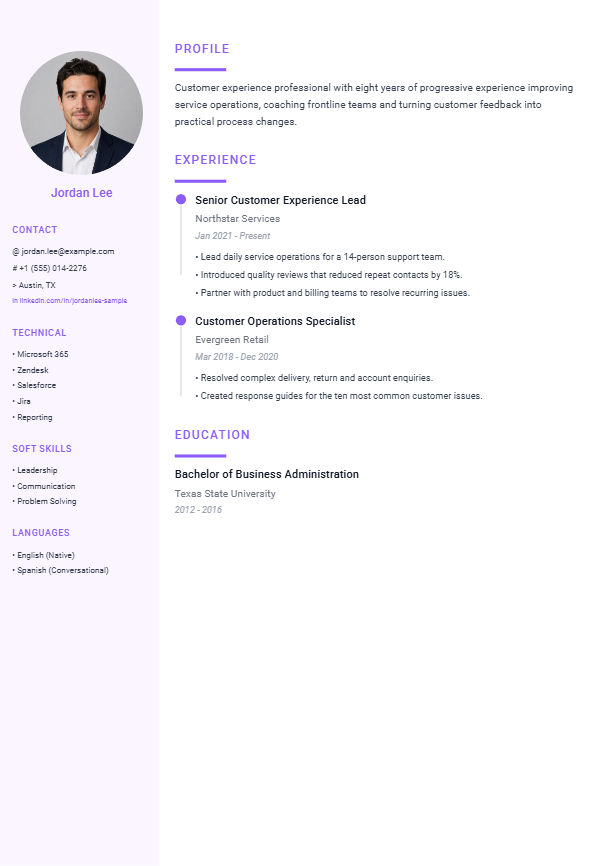
A visual, data-led design with compact skills and achievement sections.
Best for: Portfolio-led and results-heavy applications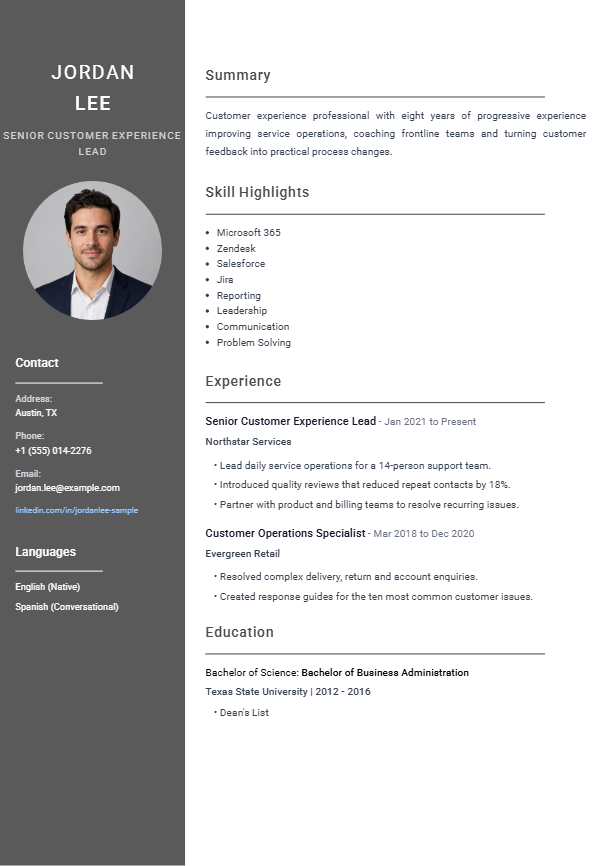
A structured dark-sidebar layout with a strong, composed business feel.
Best for: Consulting, finance and established professionals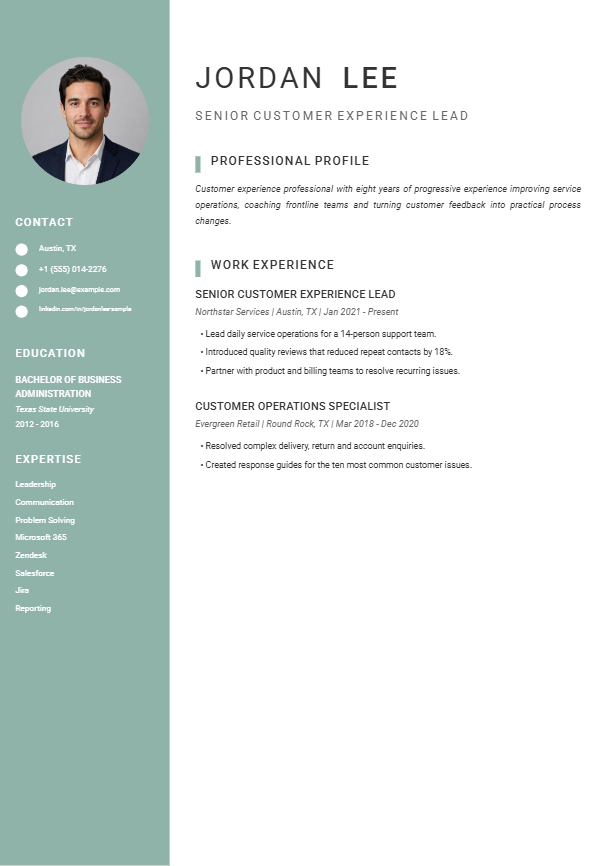
A calm editorial design with an understated mint palette and clear sections.
Best for: People, education and service-focused careers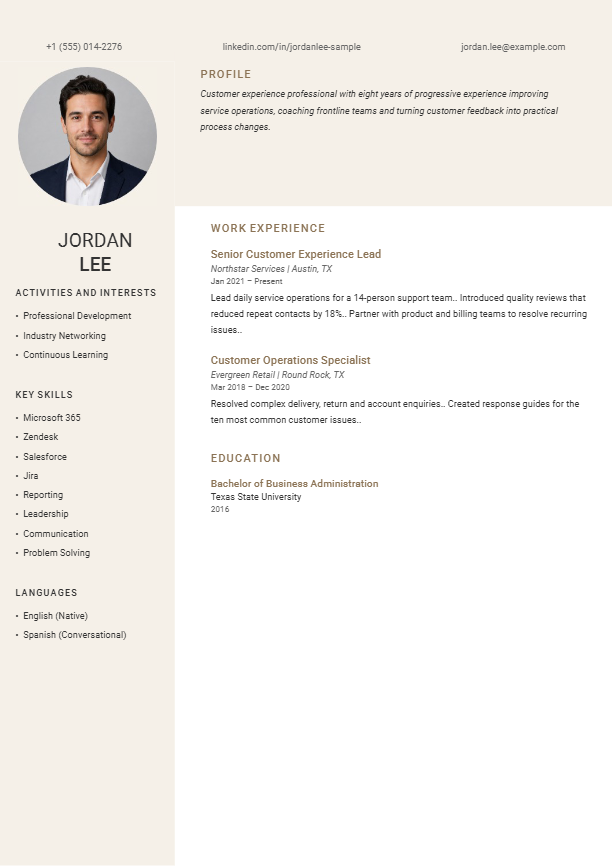
A refined cream-and-bronze presentation suited to experience-rich resumes.
Best for: Leadership, luxury, legal and executive roles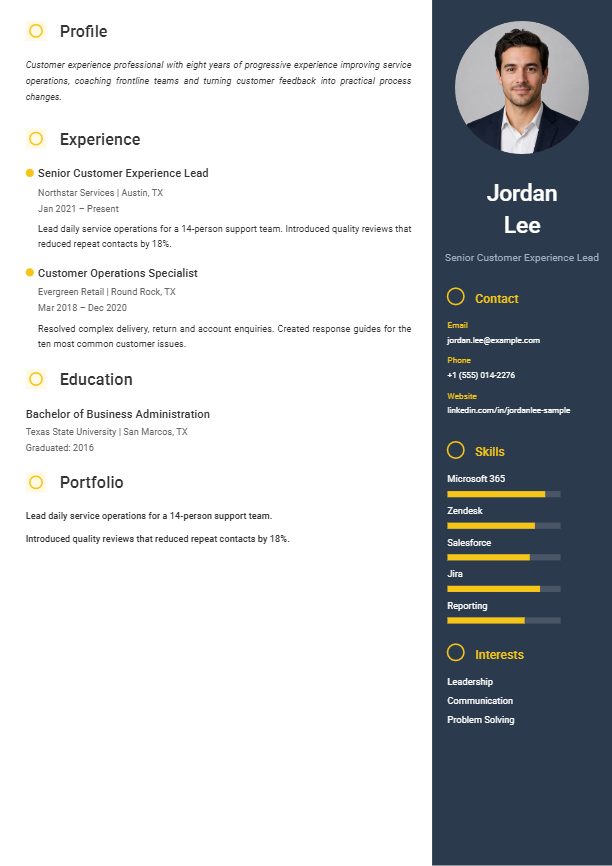
A bold navy-and-yellow layout for applicants who want a distinctive visual identity.
Best for: Design, media, product and creative technologyEditable DOCX, completed sample PDF, editing guide, removable “Template by Build My Resume” attribution and a clickable AI-builder link.
Approx. R55.32 once
Three resume colour variants, matching cover-letter DOCX, sample resume and cover-letter PDFs, instructions, license and no attribution.
A successful premium template payment adds one $2.99 credit to the purchasing email. One credit is applied automatically per eligible builder checkout.
Find your fit
Choose a layout that makes your relevant experience easy to find. Start with the employer’s instructions, then compare the space available for your work history, skills and projects. Each template page includes a full preview, pack contents and guidance for that design.
Try Basic Clean or Classic Professional for a straightforward structure. Emphasize relevant education, projects, volunteering and transferable skills, using only experience you actually have.
Tech Professional gives skills and projects a clear place. Modern Minimalist keeps the focus on experience and results. Include the tools you use and specific outcomes you can explain.
Compare Executive for leadership experience with Creative Professional for a more visual presentation. Check the application method before choosing a sidebar or multi-column design.
Make it yours
In Word, choose File → Save As or Save a Copy, select PDF and save. Open the exported file to check every page. Confirm that you can select and copy the text in a sensible order. Follow the employer’s requested file format if it specifies DOCX or something else. See Microsoft’s PDF export instructions for your version of Word.
Before you download
All six free packs include an editable Word DOCX, a completed sample PDF and an editing guide. The free download links work without signup or payment. The “Template by Build My Resume” attribution can be edited or removed in Word.
Yes. Edit the headings and sections to match the CV requested by the employer. The layouts are designed for job applications. If you need a detailed academic or research CV, you may need extra sections for publications, teaching, research or awards.
The DOCX files are designed for Microsoft Word. Other editors may change fonts, spacing or page breaks, so check the entire document and its exported PDF before applying. The included sample PDF shows the intended appearance.
Because editable digital template packs are made available immediately after purchase, all sales are final once access has been provided. Refunds are only considered for a duplicate charge, an incorrect template pack, an unresolved download problem, or where required by applicable law. Reversals and open chargebacks suspend downloads and unused credit while the payment is reviewed.
Premium pack